Data Fetching
What is Data Fetching?
Data fetching is used to make pre-rendering and rendering possible on pages. There are three unique ways Next.js fetches data:
Static Generation -
getStaticPropsStatic Generation -
getStaticPathsServer-side Rendering -
getServerSideProps
Static Generation - getStaticProps
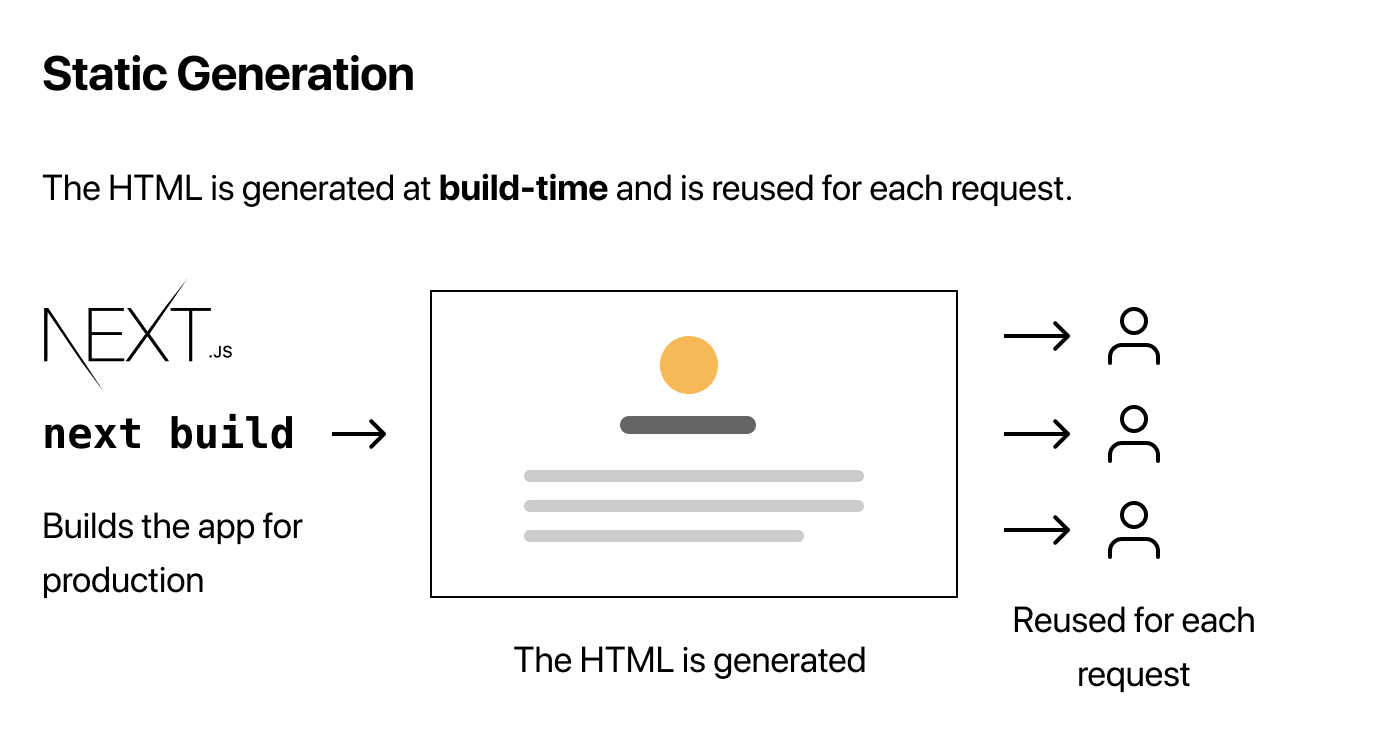
You can export the asynchronous function getStaticProps from a page and Next.js will pre-render this page at build time using the props that get returned from the function.
Parameters for getStaticProps
getStaticProps has one parameter, which is an object and can contain the following keys:
paramsThis key is the route parameter that pages use for dynamic routes.
Let's say a page name is
[id].js, theparamswill look like{ id: ... }.This key should be used together with
getStaticPaths.
previewThis key is
trueif the page is in preview mode.This key is
undefinedin any other case.
previewDataContains a preview data set by
setPreviewData
localeContains the active locale.
This is if you have enabled internationalized routing.
localesContains all supported locales.
This is if you have enabled internationalized routing.
defaultLocaleContains the configured default locale
This is if you have enabled internationalized routing.
Returns for getStaticProps
propsOptional
Object with the props that will be received by the page component
Should be a serialized object.
revalidateOptional
Amount in seconds after which a page re-generation can occur.
Default is `false`, which means no revalidation.
notFoundOptional
Boolean value to allow the page to return a 404 status and page.
Example:
// inside of getStaticProps function
if (!data) {return {notFound: true,}}redirectOptional
Example:
{ destination: string, permanent: boolean}When should you use getStaticProps?
If there is data required to render the page that is available at build time ahead of a user's request.
If the data comes from a headless CMS.
If the data can be cached publicly and is not user-specific.
If the page must be pre-rendered and be very fast, like in the case of SEO.
Incremental Static Regeneration
You can create or update static pages after you have built your site. ISR enables you to use static generation per-page. This means you do not have to rebuild your entire site. ISR gives you the benefit of static while you can scale millions of pages.
Using process.cwd() to read files
Next.js compiles your code into a separate directory, which means you can not use __dirname since this will not return the correct path.
You can use process.cwd() instead, since this gives you the directory where Next.js is actually being executed.
Technical Details to keep in mind
getStaticPropsruns on build time only. This means it will not receive data that is only available outside of the build time, like during the request time.Things like query parameters or HTTP headers are not available.
Since
getStaticPropsonly runs on the server-side, it can not be run on the client-side.getStaticPropsis not included in the JS bundle for the browser.You can write direct database queries in your code without them getting sent to the browser.
If you do this, make sure you do not fetch an API route from
getStaticProps, but write it directly in to the code ofgetStaticProps.
Not only the HTML file gets generated when writing with
getStaticProps, there is a JSON file that holds the result of runninggetStaticProps.You can only export
getStaticPropsfrom a page. The reason is that React needs all required data before the page gets rendered. You will also have to usethe export async functionpart, because just addinggetStaticPropsas a property of the page component will not workEvery time you run
next dev,getStaticPropswill be called.
Static Generation - getStaticPaths
Like said before, if your page has dynamic routes, and it uses getStaticProps, getStaticPaths will need to define a list of paths that have to be rendered to HTML at build time.
The paths key
return {
  paths: [
    { params: { id: '1' } },
    { params: { id: '2' } }
  ],
  fallback: ...
}
This required key determines which paths actually have to be pre-rendered.
The above code will statically generate
posts/1andposts/2at build time.Also, the value of the
paramswill have to match the parameters that are used in the page name:Let's say the page name is
pages/posts/[postId]/[commentId]paramsshould containpostIdandcommentId.
If the page name uses a catch-all route like
pages/[...slug]paramsshould containslug.
If you use a catch-all route, supply one of the following:
null,[],undefinedorfalseto render the root-most route.So if you supply
slug: false` for `pages/[[...slug]], Next.js will statically generate the page/.
The fallback key
return {
  paths: [
    { params: { id: '1' } },
    { params: { id: '2' } }
  ],
  fallback: ...
}
This key is also required and must contain a boolean value.
fallback: falseThis will make sure no paths are returned and will result in a 404 page.
This can be done when a small number of paths has to be pre-rendered, since these get statically generated during build time.
This is also useful if new pages are not added often.
fallback: trueWhen this is the case, the behavior of
getStaticPropswill change:All paths that get returned from
getStaticPathswill be rendered to HTML at build time bygetStaticProps.If there are paths that are not generated, they will not result in a 404 page, Next.js will serve a
fallbackversion of the page on the first request to that page.Next.js will statically generate the requested path HTML and JSON in the background, and therefore will also run
getStaticProps.When the above is finished, the browser receives JSON code for the generated path. This can be used to automatically render the page with the required props. In the eyes of the users, the page will be swapped from a fallback page to a full page.
During all of this, Next.js will add this path to a list of pre-rendered pages.
Is there a moment when
fallback: trueis useful?It is useful when you have a really large number of static pages that all depend on data. You can not pre-render all your product pages, since builds would take absolutely forever.
fallback: blockingWhen this is the case, if a new path does not get returned by
getStaticPathswill wait until HTML is generated, just like in server side rendering. It will then be cached for future requests so this can only happen once per path.
Technical details to keep in mind
Use
getStaticPathstogether withgetStaticProps, this is a must.getStaticPathsonly runs at build time on server-side.You can only export
getStaticPathsfrom a page, not from a component.You must use
export async functioninstead of using it as a property of the page component.getStaticPathswill get called on every request in development.
Server-side Rendering - getServerSideProps
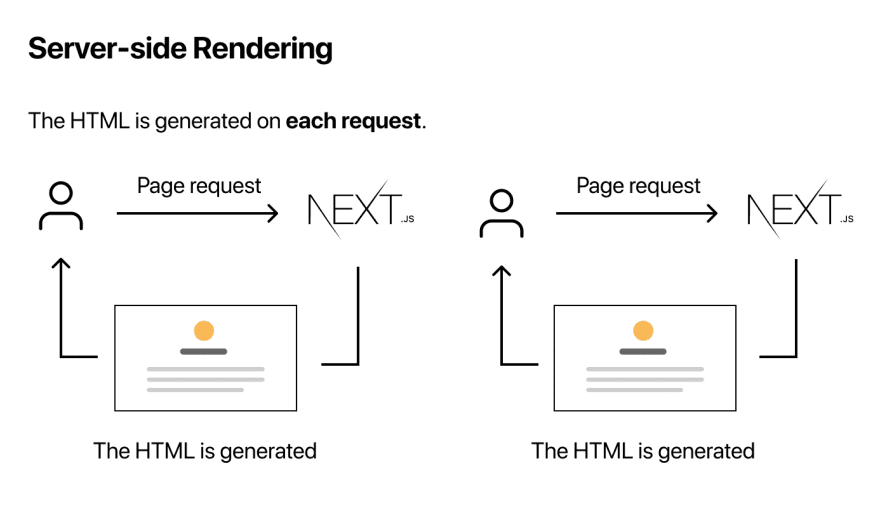
You can export the asynchronous function getServerSideProps from a page and Next.js will pre-render this page on each request using the data that gets returned by the function.
Parameters for getServerSideProps
getServerSideProps has one parameter, which is an object that can contain the following keys:
paramsThis parameter will contain route parameters, if the page uses dynamic routes.
reqHTTP Incoming Message object.
Default is
{}It will parse an incoming request.
This parameter also provides built in middleware.
The middleware is
req.cookies.This is an object containing cookies that are sent by request.
resHTTP response object
queryObject representing the query string.
previewIf set to
true, the page is in preview mode.falsemeans otherwise.
previewDataPreview data that is set by
setPreviewData.
resolvedUrlNormalized version of the requested URL.
It strips the prefix
_next/data.
localeContains active locale.
If using Internationalized Routing.
localesContains all supported locales.
If using Internationalized Routing
defaultLocaleContains the configured default locale
If using Internationalized Routing
Returns for getServerSideProps
propsOptional
Object with the props that will be received by the page component
Should be either a serializable object or a promise that resolves to a serializable object
notFoundOptional
Boolean value
Allows the page to return a 404 status and page.
redirectOptional
Redirect value to allow redirecting to internal or external resources.
When should you use getServerSideProps?
Only if you have to pre-render a page that has data that must be fetched at request time.
Technical details to keep in mind
getServerSidePropsonly runs on the server-side. This means a few things:If you request the page directly,
getServerSidePropsruns at request time, the page will be pre-rendered with the returned props.If you request this page on client-side page transitions like
next/linkornext/router, an API request gets sent to the server, which will then rungetServerSideProps. It will return a JSON that contains the result ofgetServerSideProps.getServerSidePropsis only allowed to be used as a function and in a page
Fetching data on the client side
If you have to frequently update data, you should not pre-render your data. You can instead fetch your data on the client side.
How does client side fetching work?
First it will immediately show the page without data. You can pre-render some parts of the page with static generation, but you can also show loading states for missing data.
After that, you can fetch the data on the client side and it will display when it is ready.
React Hook: SWR

Next.js created a React hook for data fetching which is named SWR. It is recommended to use this when fetching data on the client side, since it will handle the following aspects:
Caching
Revalidation
Focus tracking
Refetching on interval
and more
Example code:
import useSWR from 'swr'

const fetcher = (url) => {
  fetch(url).then((res) => {
    res.json())
  }
}

function Profile() {
  const { data, error } = useSWR('/api/user', fetcher)
  if (error) {
    return <div>failed to load</div>
  }
  if (!data) {
    return <div>loading..</div>
  }
  return <div>hello {data.name}!</div>}
}
External sources
Next.js documentation about pages
Next.js documentation about data fetching
Images come from Next.js learn